Tuesday, February 22, 2011

How to Remove Antivirus NET From Windows 7/Windows XP


Are you experiencing the time when your computer goes down, pops ups keep on popping up and the speed of the PC gets somewhere near to the early computers? Well, if that is the case with your computer, then you're definitely having the Antivirus.net virus in your computer.


What is this Virus?


If you analyze this virus technically, you'll find it exactly similar to a spyware program. Now, what it does is that it steals away your information and passes it over to someone over a network. That "someone" can be any one; you may or may not know at all. Mostly it is a hacker involved behind these types of information transferring. This information is mainly the IDs and passwords which you use over the Internet.


This software will also scan your computer and show you completely bogus scan results. This is to get you worried about your computer's security and purchase full version of the program. Don't purchase activation code for this virus at any cost. This is because the money will be wasted and you can use that money to buy a genuine spyware remover instead.


Potential Harms:


This virus will bring too many pop ups on your screen that are totally unwanted. The sole purpose of these pop ups is to terrorize the user. It also tries to make the user believe that the system is affected by some viruses and forces the user to buy the full version of Antivirus.net. It makes the system affected by the virus to the full. This virus also disturbs the Internet connection of the PC, so the user can't download any tool to get rid of this virus.


How to Remove Antivirus NET From Your Computer?


To make your system clean and pure from this virus, you have two options; either remove it manually or remove it using automated tools. Whether you're using Windows 7 or Windows XP, the manual method involves the use of technical knowledge and command over the use of command prompt and the registry editing. However, the automated methods are more reliable and easy to follow since they don't require background knowledge of this virus and the knowledge of its removal techniques.


If you try to remove the virus manually, It is very likely that you might end up deleting a wrong file and your computer become completely paralyzed. Therefore, for less skilled computer user's, Automatic Removal of the virus using a genuine spyware remover is way to go. Not only It helps you get rid of the threat, but also your computer will stay protected from similar threats in future. It is no longer safe to surf Internet without spyware protection so make sure you get one as soon as possible.

Lots of my friends have gotten this virus in this computer and this is the guide I've suggested them to Remove Antivirus NET from their computer.This guide has both automatic and manual removal steps to help you Fix Antivirus NET without any hectic efforts. Next time, be careful about visiting websites and never participate in any file sharing activities.

Google Redirect Virus Removal


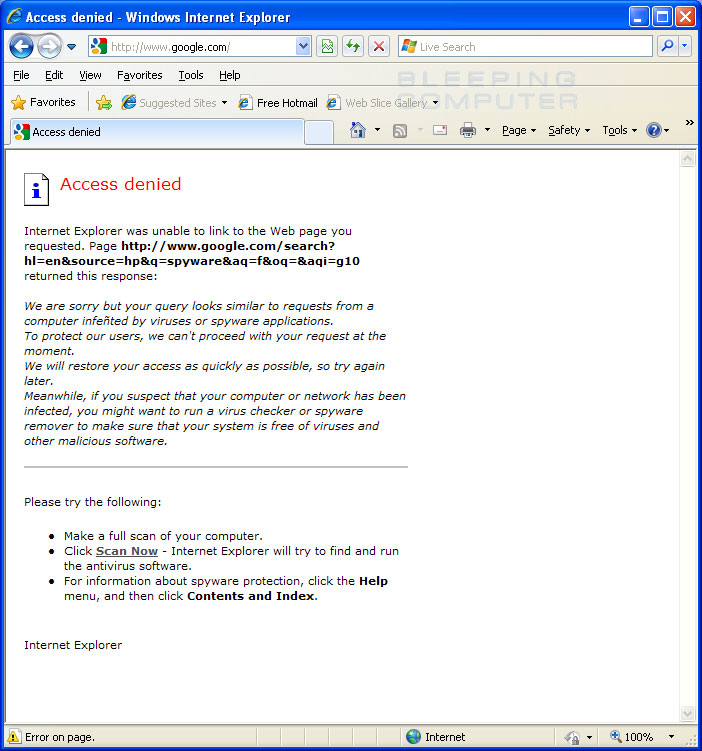
The Google Redirect Virus is a "browser hijack" virus which will send your computer to fake websites when you are redirected online. In normal circumstances, Windows will be able to send you to the correct website when it is redirected, but if you have the Google Redirect Virus, the virus will "inject" its own websites into the redirect process, leading your PC to send you to random ones. This will happen for all redirects, not just search engine results... however, as most search engine results will redirect you, that's where most people see the issue.


Not many people know this, but when you click on a link on the search engine, it won't take you to the page you're looking for straight away. In fact, Google, Yahoo & Bing will all take you to a special link on Google.com / Yahoo.com / Bing.com in order to track your searches and other metrics. All search engines redirect your results, meaning that if you have the redirect virus, it's going to show when you search for something online.


The reason why this virus is difficult to remove is because it doesn't leave any "footprint" or "trace" on your system. Unlike typical virus infections (which will place a fake file / application onto your PC), the search redirect virus will just change the redirect settings for Windows and then disappear. This means that most antivirus programs are powerless to remove it.

The Google / Search redirect virus is one of the most common viruses of 2010 / 2011, infecting millions of computers around the World. Designed by expert hackers, it is highly annoying and will continually redirect your web searches to fake websites. The main reason why this virus is is one of the most damaging is that it cannot be removed with traditional antivirus programs. Instead, you need to use special methods or tools to get rid of it, which have remained a mystery until now.

Well now there is a working solution to get rid of the search redirect virus from your PC. Created by a computer technician with 10 years experience, this working method removes the virus at its core - removing the infection from your PC & preventing it from returning. My simple program will explain exactly what the virus is and will then remove it automatically for you.

You can use our Google Redirect Virus removal product on any version of Windows and with any web browser. We have cracked how the virus works, and are now able to remove it from any Windows computer. You just need to install our step-by-step system and it will do the rest for you.

So if this big problem has affected you at all, Please feel free to check out the information below, and remove the virus once and for all, with one simple tool,


Do not delay anylonger, as the virus is a very harmful and common one.

An Easy Way to Get Rid of Antivirus 2010 and 2011 Malware From Your System


It can be quite easy to pick up malware from the Internet these days. The people who distribute such software are quite clever and it can be quite difficult to remove this malware from your machine. I recently had two machines affected by this via a website distributing video for an awards ceremony.

Whilst we do our best to try to protect ourselves from malware/virus and other forms of attack on our machines sometimes the bad guys are just too clever and find ways into our "lives". After a recent attack on some of my machines I found trying to get a solution was quite difficult so I decided to help someone else by letting you folks know how I removed the malware from my machines.
To remove the malware Anti Virus 2010 and 2011 I used the following technique:

I Downloaded a program called RKILL from here: Rkill

Then I also downloaded MALAWAREBYTES

I then Ran the program RKILL and after it was completed I then ran the program MALAWAREBYTES

This cleared Anti Virus 2010 and Anti Virus 2011 from my PC. It did for me and I was so happy to get my PC back to work again.

I have also found that MALAWAREBYTES tends to block my remote control software so if you use such programs you may have to remove the Malaware program after you have removed the actual Malware. Both the 2010 and 2011 versions of this Malware are extremely convincing they are probably the most convincing pieces of malware that I have seen to date.
Trust this helps - If in doubt speak to your local Anti virus/malware expert or hardware provider.
Related Posts Plugin for WordPress, Blogger...